
ScriptE for Mac: Update Page Count in Breakdown
Update Page Count
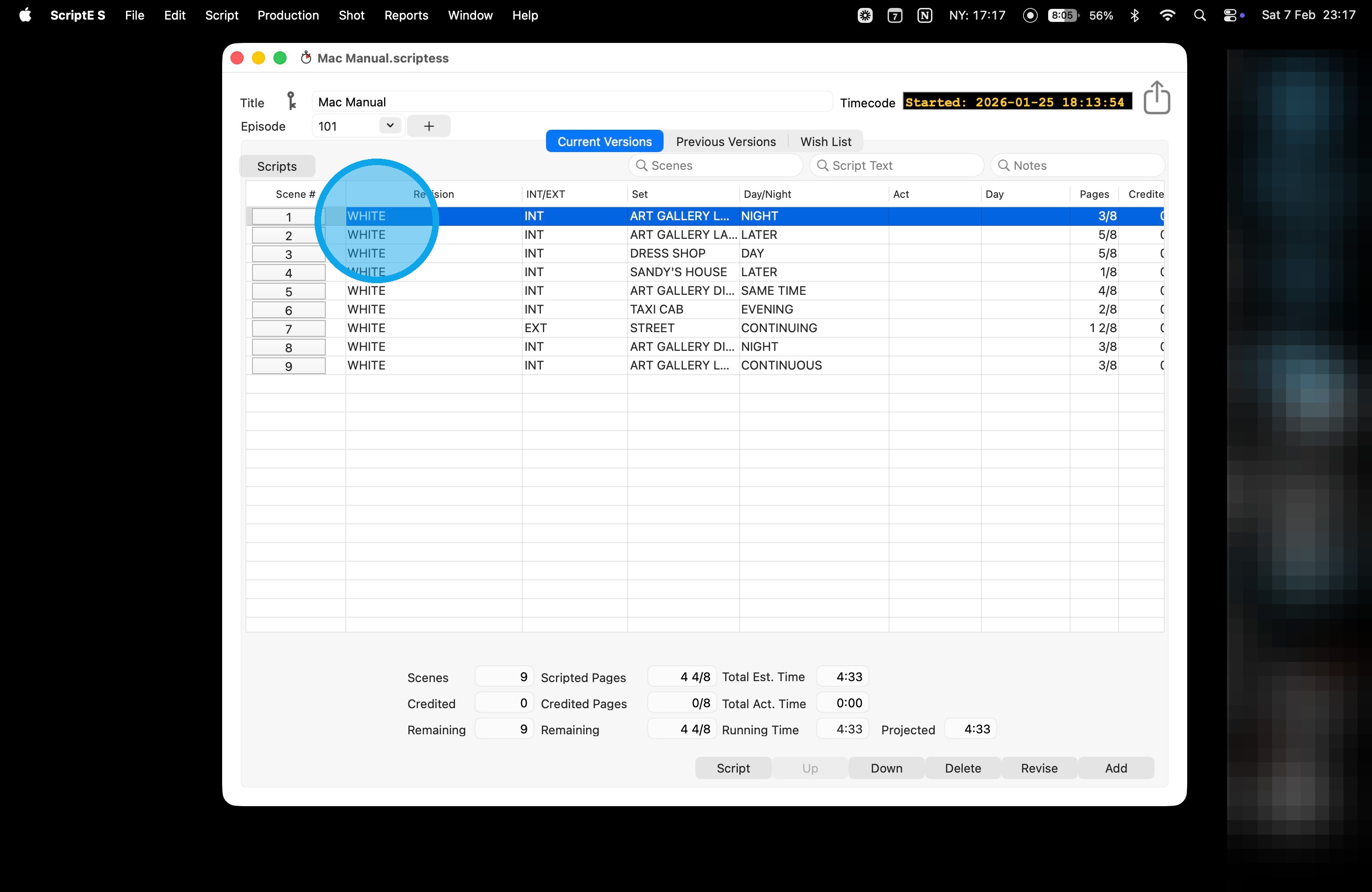
1. Double click on the scene to open the breakdown view.
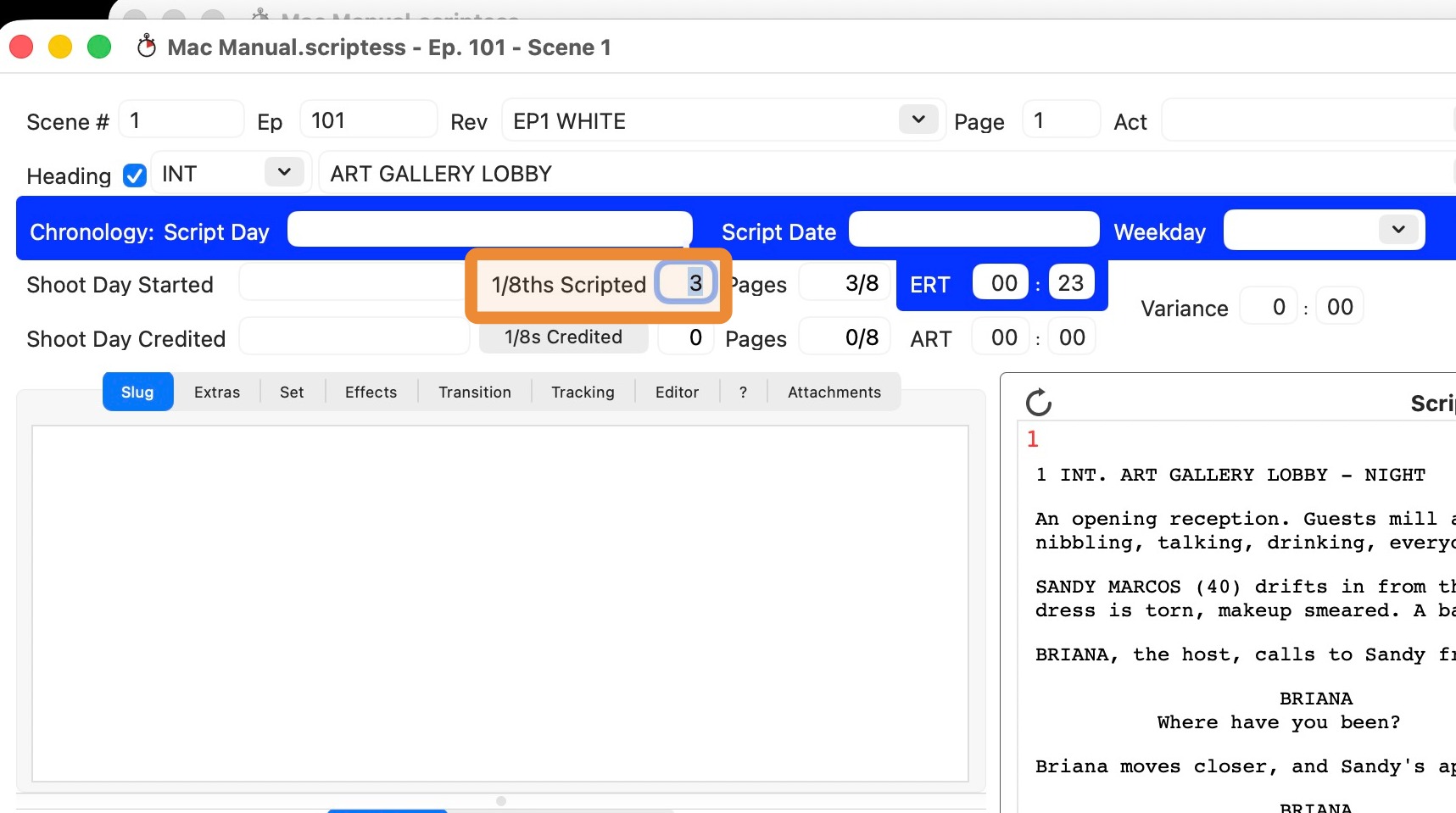
2. Highlight the 1/8 Scripted and enter a new number. Click ENTER or TAB to lock it in.
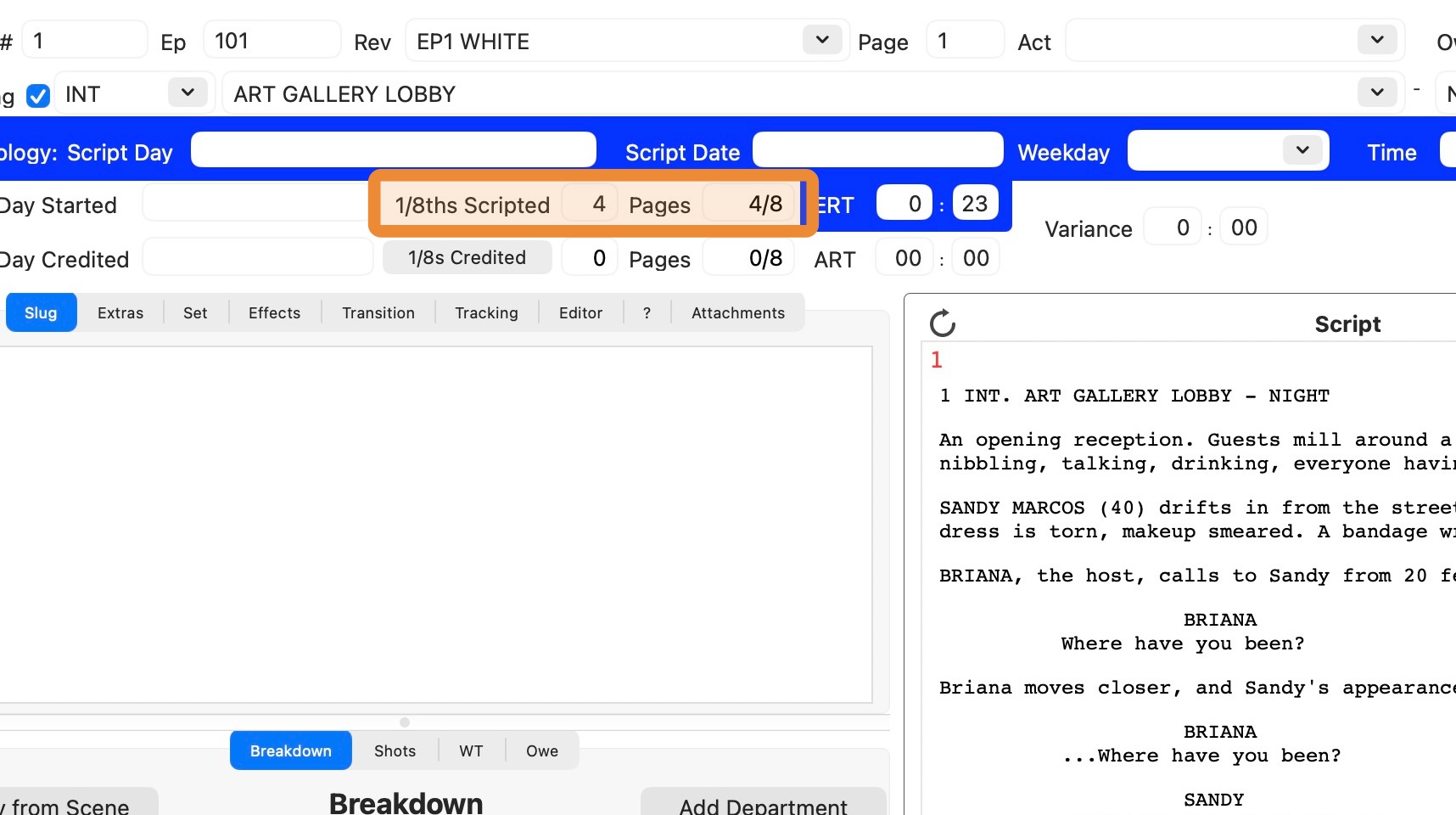
3. The page count has been updated.
WARNING!
Updating the page count may cause errors in the daily progress report! You may need to:Fix Incorrect Daily Progress Report Math - Reset Script Changes Log
