1. Delete representative photos
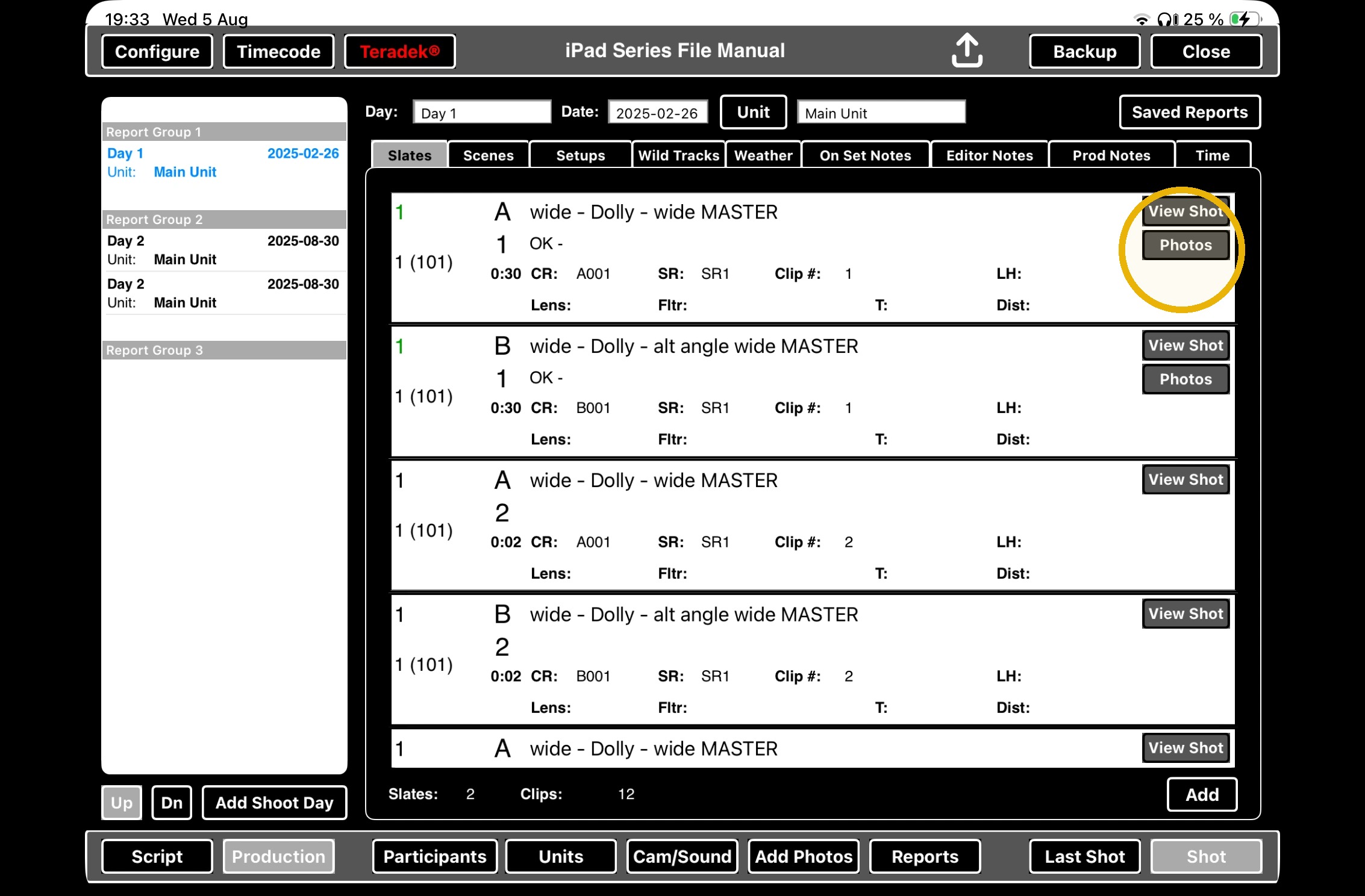
1. Click the PHOTOS BUTTON on any take.
2. Select the take you would like to delete the photo from.
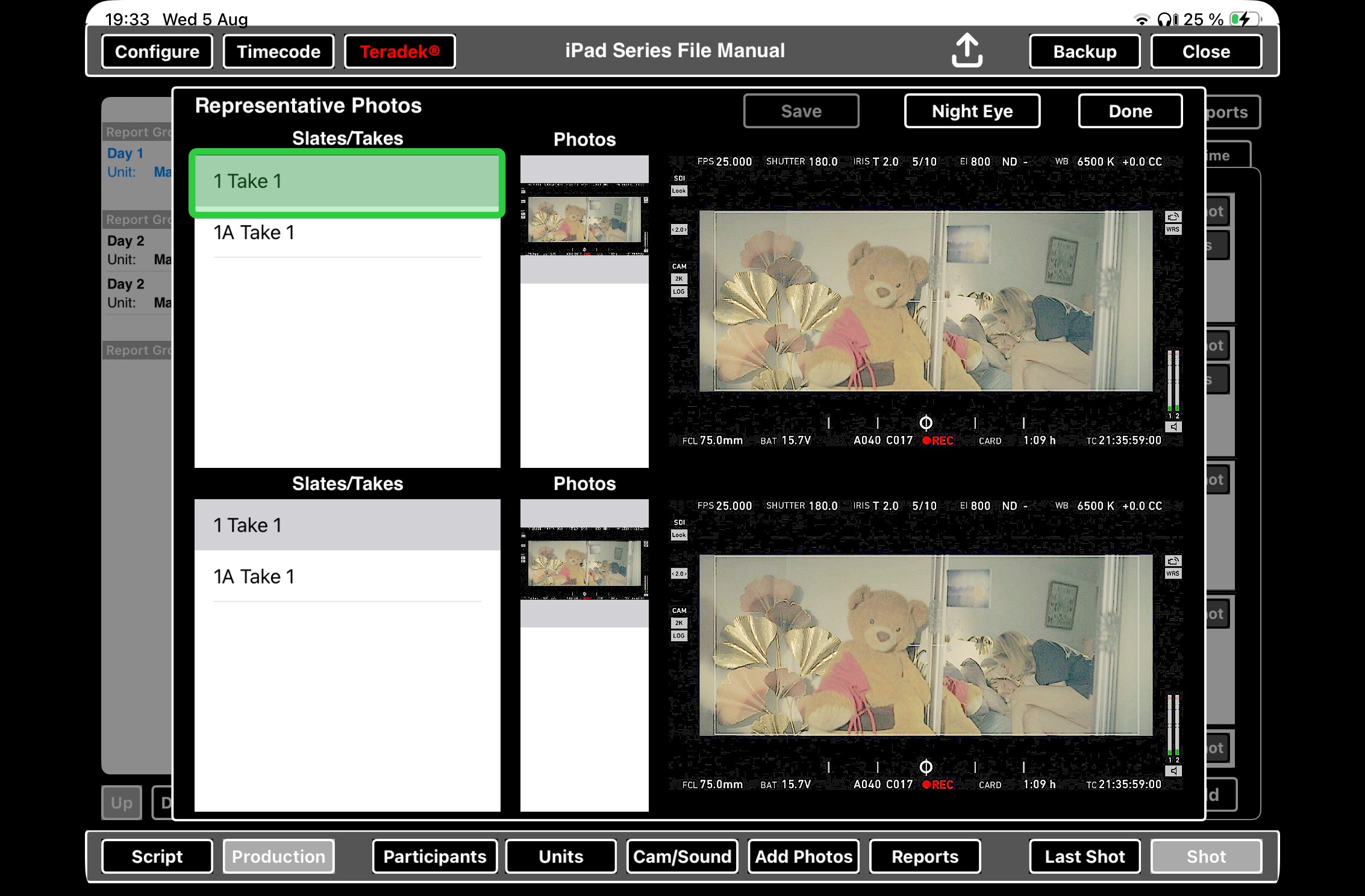
3. Swipe left on the photo you would like to delete from representative stills.
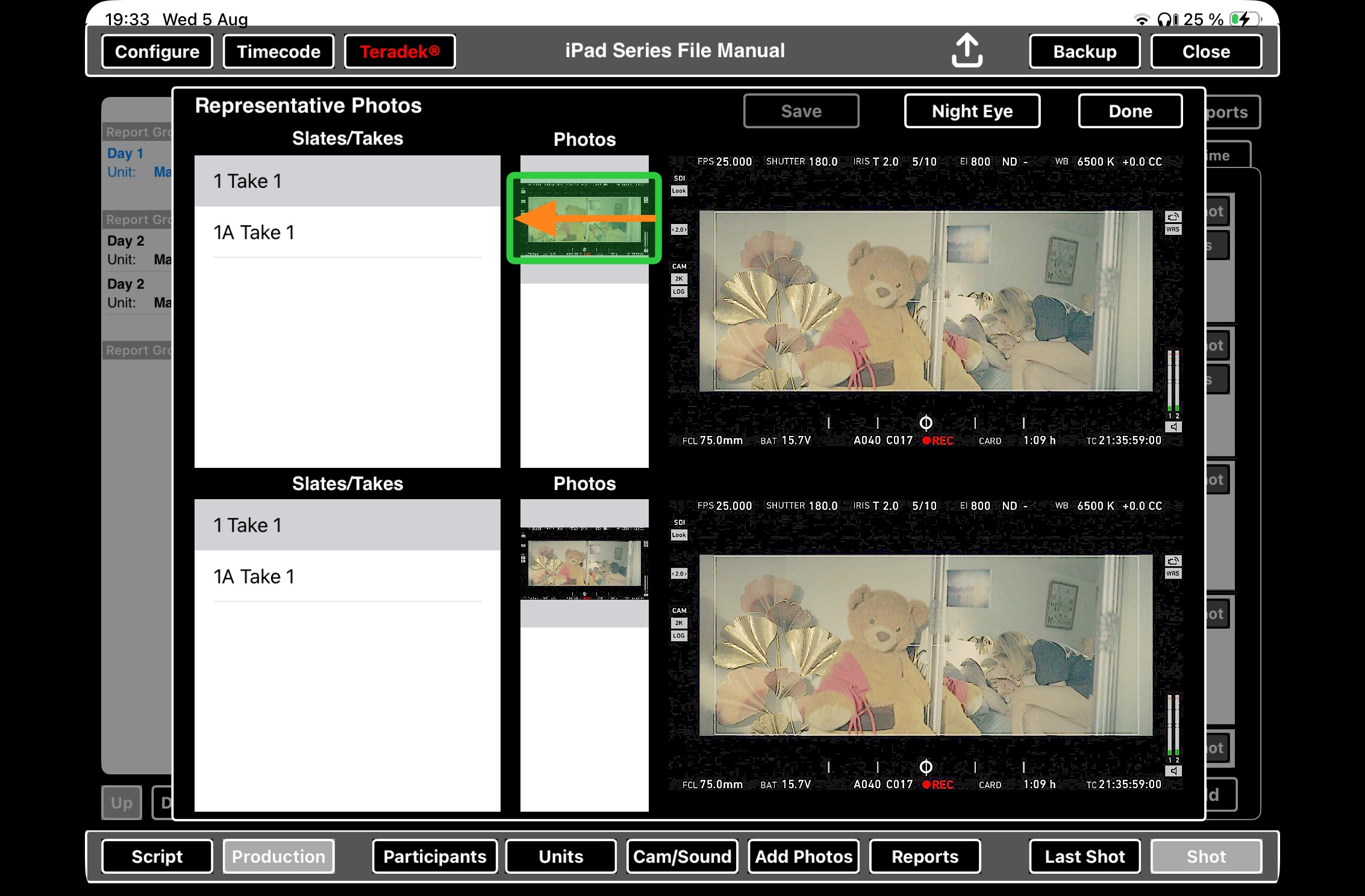
4. Click the delete button
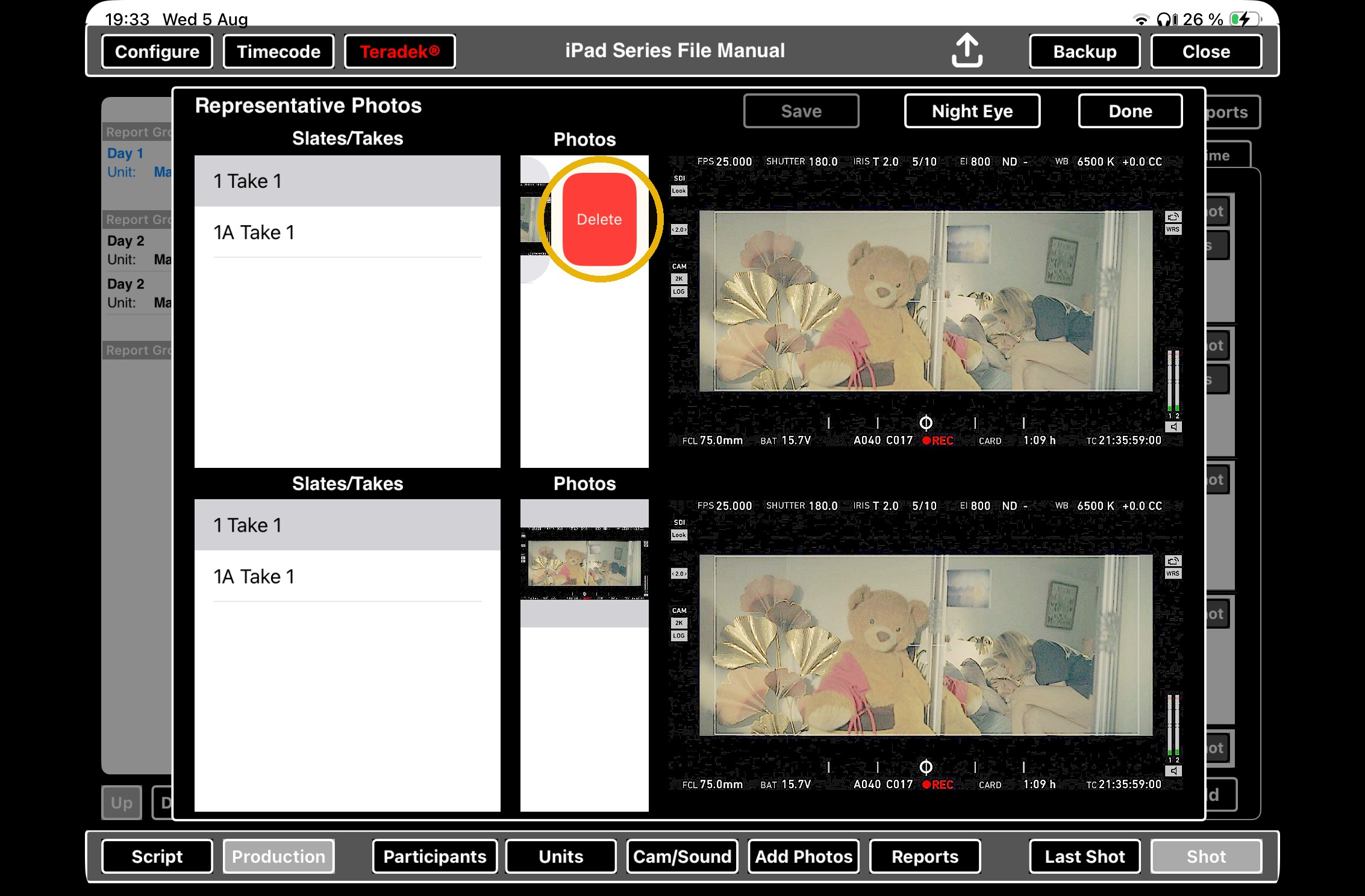
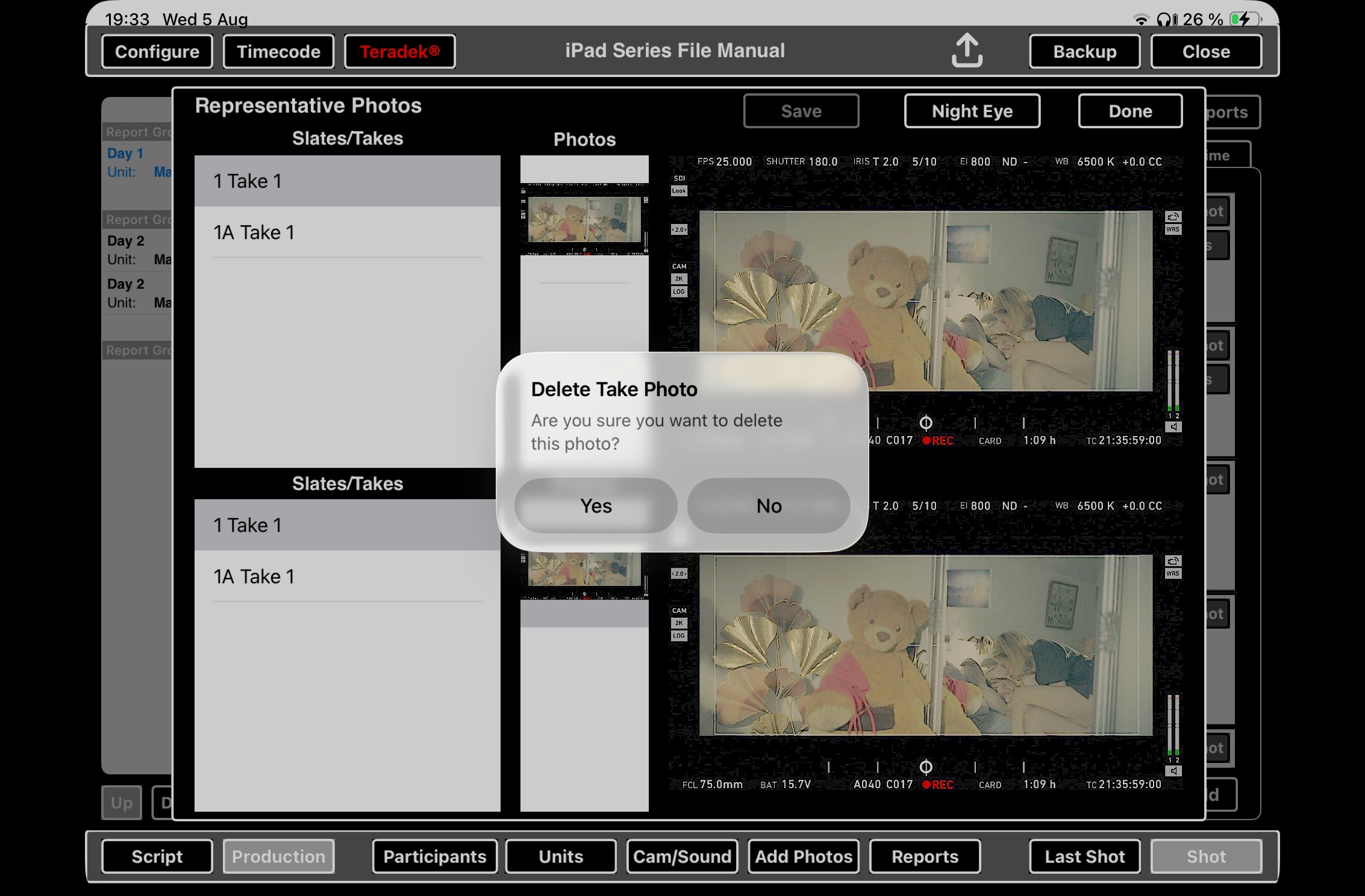
5. Delete take photo? Select yes or no.